SQL Editor
The SQL editor you've always wanted
Multi-tab workspaces, schema-aware autocomplete, inline errors, result pinning, and export to five formats. Datara's editor is built for developers who live in SQL.
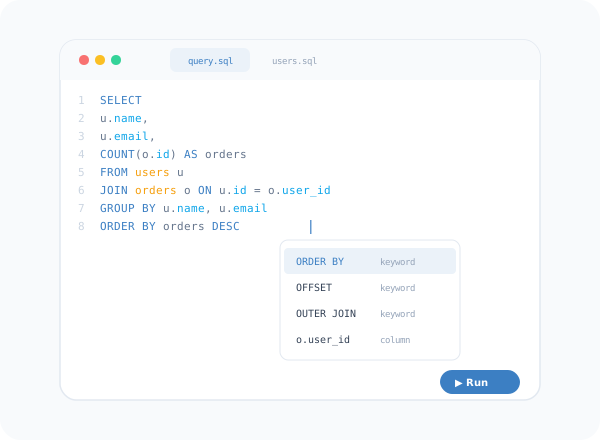
Editor features
Multi-Tab Workspaces
Open as many query tabs as you need. Each tab remembers its connection, content, and results independently.
Smart Autocomplete
Schema-aware suggestions for tables, columns, functions, and keywords. Autocomplete adapts to your active database dialect.
Inline Error Detection
Syntax errors and warnings appear as you type — before you run the query. Catch mistakes early and fix them in place.
Result Pinning
Pin result sets from different queries and compare them side by side. Useful for before/after checks and data validation.
Multi-Format Export
Export results to CSV, JSON, XML, SQL INSERT statements, or Excel. One click from any result grid.
Keyboard Shortcuts
Run query, new tab, switch connections, toggle autocomplete — everything is mapped to a keyboard shortcut and fully customisable.
Intelligent
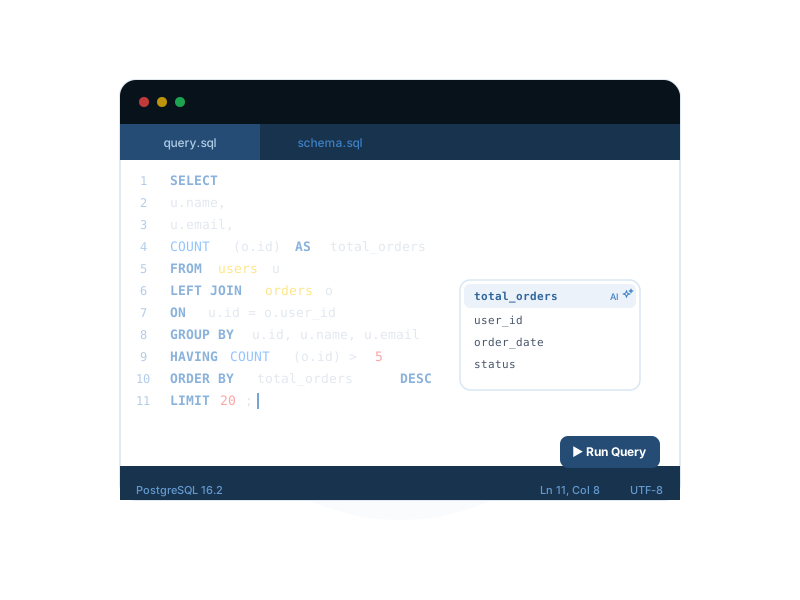
Autocomplete that knows your schema
Datara's autocomplete engine reads your database metadata in real time. It suggests table names, column names, built-in functions, and even aliased references from your current query — across MySQL, PostgreSQL, SQLite, MSSQL, Oracle, and MariaDB.
- Table and column name suggestions
- Built-in function signatures per dialect
- Alias-aware references within the same query
- JOIN condition suggestions based on foreign keys
- Works offline — no cloud calls required
Query history and saved queries
Full Query History
Every query you run is logged with its connection, execution time, row count, and result status. Search, filter, and re-run any previous query instantly.
Saved Query Library
Save frequently-used queries into organised folders with tags. Search across your library and share exports with teammates.