8 Formats
Every format you'll ever need
DataraIMG reads and writes JPEG, PNG, WEBP, AVIF, HEIC, GIF, SVG, and BMP. Mix and match freely — convert any format to any other with no restrictions.
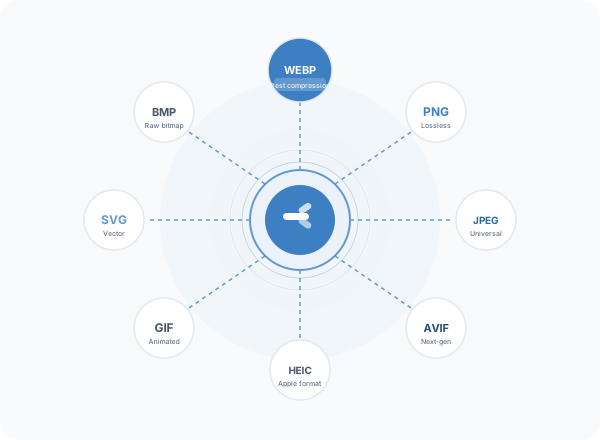
Format guide
WEBP
Google's modern format. Excellent compression with no visible quality loss. The best choice for web images — typically 25–35% smaller than JPEG at the same quality.
AVIF
Next-generation format with the best compression available. Supported by all modern browsers. Ideal for large hero images and product photos.
HEIC
Apple's default photo format on iPhone and iPad. DataraIMG reads HEIC natively — no Apple tools or iCloud required. Convert to JPEG or WEBP for universal compatibility.
PNG
Lossless compression. Essential for screenshots, UI assets, icons, and anything with transparency. DataraIMG preserves alpha channels when converting PNG → WEBP or PNG → AVIF.
JPEG
The universal standard. Every browser, email client, and device understands JPEG. DataraIMG gives you precise quality control from 1% to 100%.
GIF
Animated and static. Convert static images to GIF for legacy compatibility, or extract the first frame from animated GIFs for a static thumbnail.
SVG
Vector graphics in, raster images out. DataraIMG renders SVG at any pixel dimension you specify — useful for generating PNG or WEBP icons at multiple resolutions.
BMP
Uncompressed Windows bitmap. Rarely needed for output, but some legacy tools and industrial software require BMP. DataraIMG reads and writes it without fuss.
HEIC Support
HEIC without the headaches
Apple's HEIC format is the default on every iPhone and iPad, but it causes friction everywhere else — email clients reject it, websites can't display it, and Windows often can't open it without a paid codec. DataraIMG reads HEIC natively on both macOS and Windows and converts to any other format instantly.
- No Apple software required
- Works on Windows without codec purchases
- Converts batches of iPhone photos in seconds
- Preserves original quality for JPEG output
- Strips location metadata on export
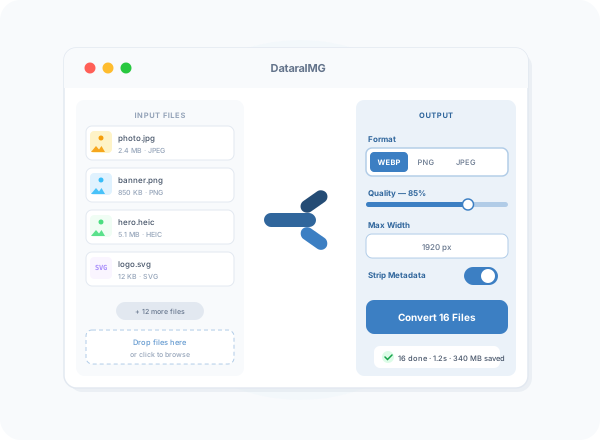
Choosing the right format
For websites and web apps
Use WEBP as your primary format — it delivers the best balance of quality and file size for modern browsers. Fall back to JPEG for legacy compatibility.
For maximum compression
Use AVIF when you need the smallest possible files. Ideal for large hero images and product galleries where bandwidth matters.
For transparency
Use PNG (lossless) or WEBP (with alpha) when your image has transparent areas. AVIF also supports transparency for next-gen workflows.
For print and archiving
Use PNG for lossless archiving and print-ready exports. PNG preserves every pixel without compression artifacts.