AI Explain & Summarise
Ask what an error means.
Explain a confusing entry or summarise a whole view with Claude or OpenAI, using your own API key. Secrets and personal data are redacted before anything leaves your computer.
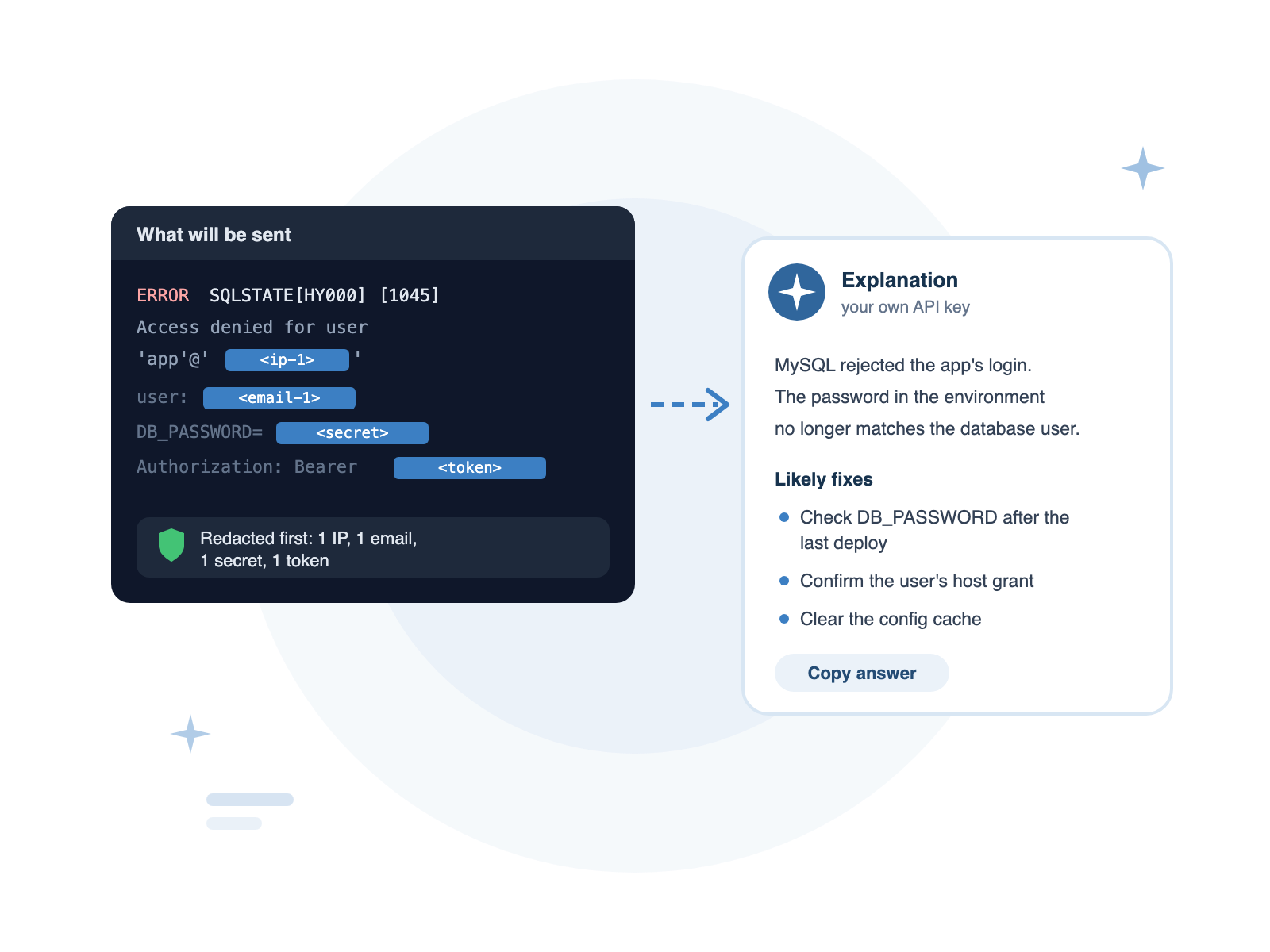
Helpful, without the risk
Explain an Entry
Select an entry and ask what it means. The answer covers the likely cause and what to check next, using the entries around it for context.
Summarise a View
Get a short summary of what's happening in the current view — the main errors, when they started and which sources are involved.
Your Own Key
Use Claude (Anthropic) or OpenAI with your own API key. It's stored encrypted on your computer and sent only to the provider you choose.
Privacy
Redacted first. Shown to you first.
Before anything is sent, DataraLog removes passwords, API keys, tokens, email addresses and IP addresses, replacing them with placeholders. You see exactly what will be sent, and nothing goes until you press Send.
- Secrets, tokens, emails and IPs replaced before sending
- Preview the exact text the AI will receive
- Turn AI off for any workspace that must never leave your machine
- No DataraLog servers in the middle — straight to your provider