Patterns & Alerts
Know what changed — before anyone asks.
Pattern grouping turns millions of log lines into a short list of message types. Spikes and new errors stand out on their own, and alerts tell you the moment something goes wrong.
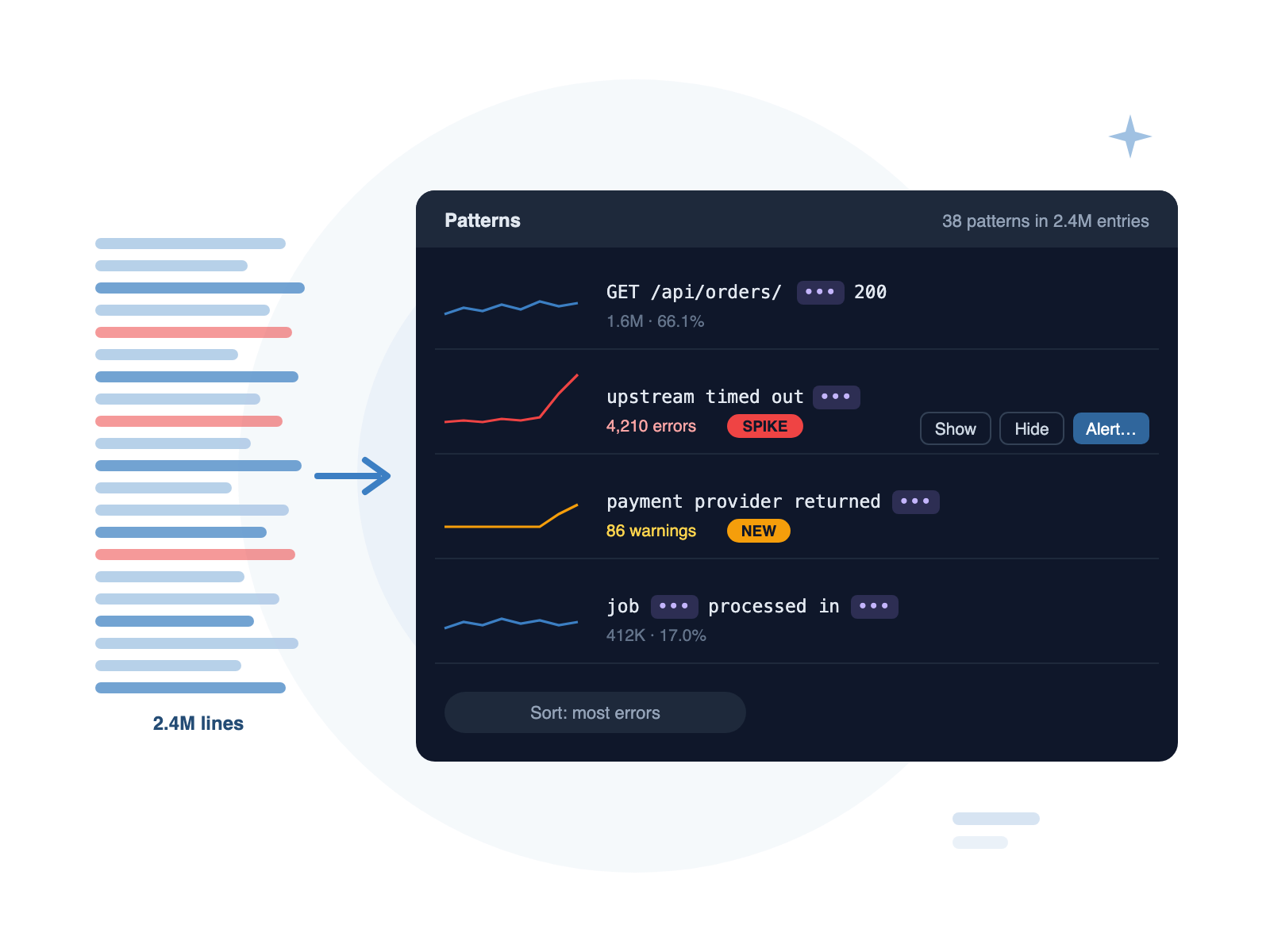
Patterns
Automatic Grouping
Similar messages are grouped into one pattern, with variables such as IDs, numbers, IPs and timings masked out. No setup, no rules to write.
Spikes & New Errors
Each pattern shows a sparkline, its share of the log and its error count. Sudden spikes and patterns that only just appeared are flagged.
One-Click Filters
Show only a pattern, hide a noisy one, or turn it into an alert. Sort by most frequent, most errors, newest or rarest.
Alerts
Alerts that watch while you work
Create an alert from any filter or pattern. DataraLog watches new entries as they arrive and notifies you on your desktop when a rule fires — with a quiet period so one incident doesn't become a hundred notifications.
- Match: at least N entries in a time window
- Spike: three times the normal rate
- Silence: nothing at all, like a heartbeat or queue worker that stopped
- Desktop notifications on macOS and Windows, plus in-app history
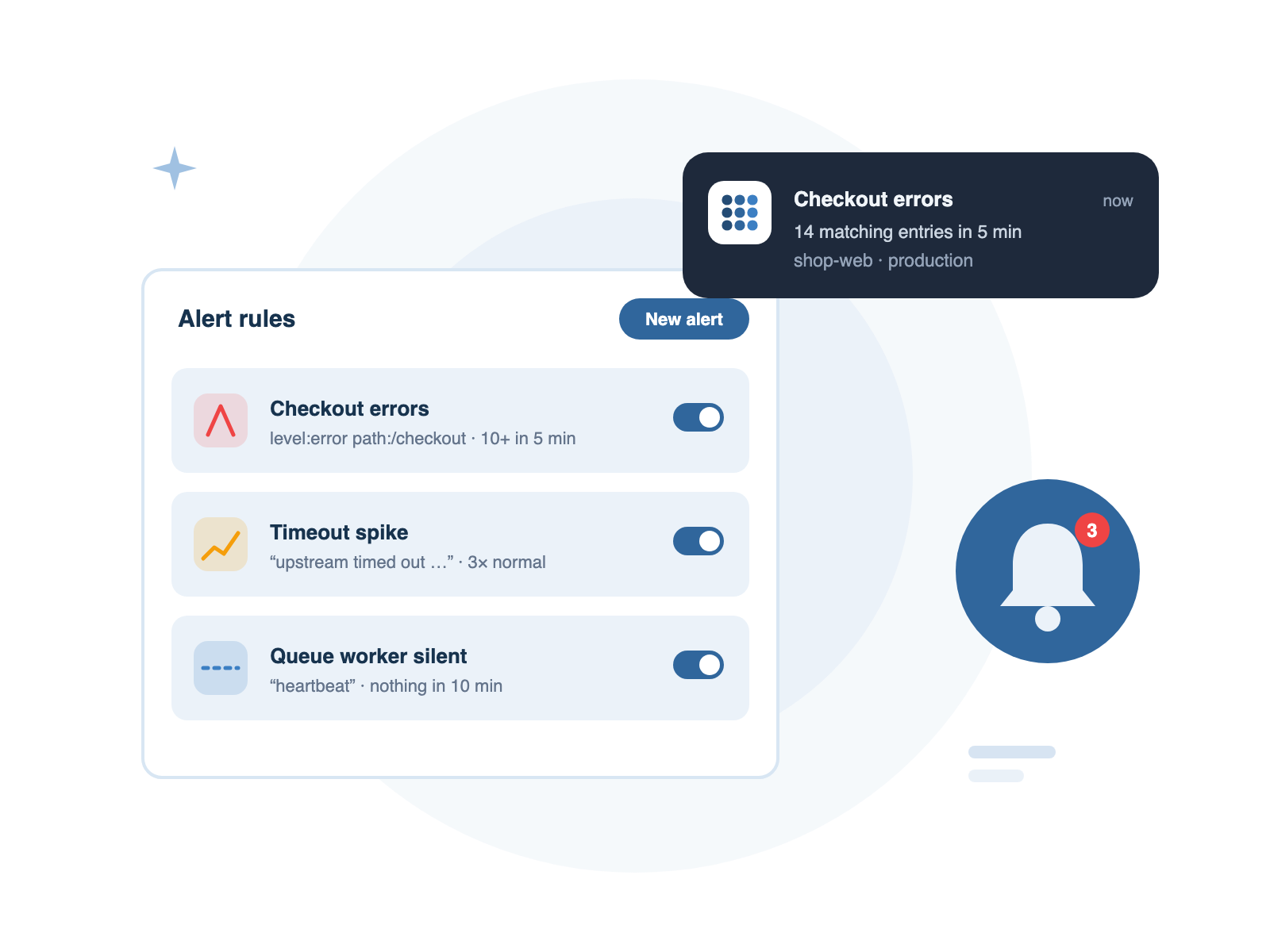
Three kinds of alert
Match
“Ten or more checkout errors in five minutes.” Fires when matching entries reach your threshold.
Spike
“Timeouts are three times higher than usual.” Fires when the rate jumps well above its normal level.
Silence
“No heartbeat for ten minutes.” Fires when something that should be logging goes quiet.