Sources
Your logs, wherever they live.
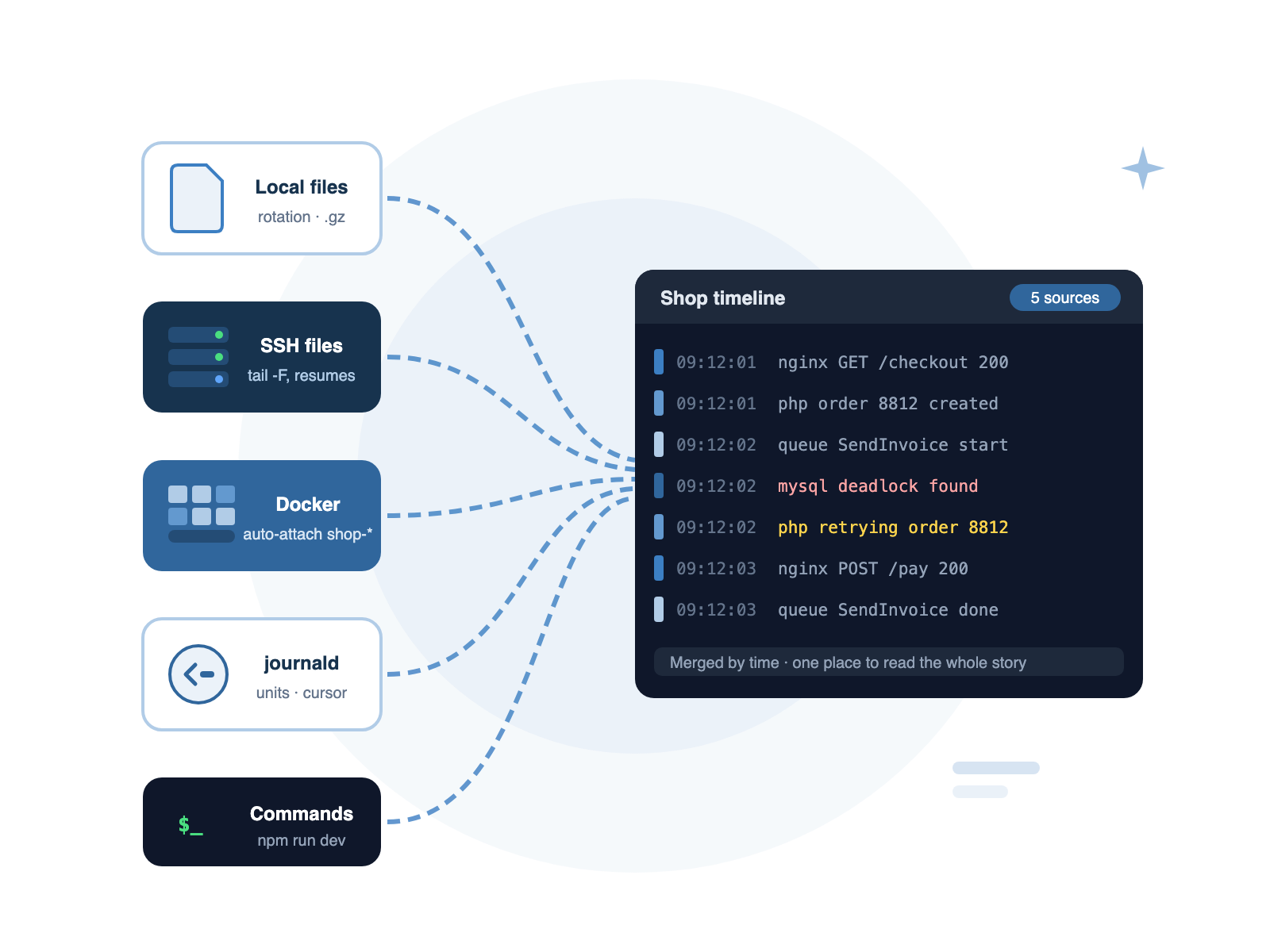
Local files, servers over SSH, journald, Docker containers and command output. DataraLog follows them all live, survives rotation and reconnects, and never loses its place.
Point it at anything that writes a log
Local Files & Folders
Open a single file, drop a folder, or follow a pattern like
storage/logs/*.log. New matching files are picked up as they appear. Compressed .gz archives open too.Files Over SSH
Tail any file on any server you can SSH into. If the connection drops, DataraLog reconnects and fetches what it missed — no gaps, no duplicates.
journald
Follow the whole system journal or a single unit. DataraLog remembers its position, so after a reconnect it carries on from the last entry it saw.
Docker Containers
Follow containers on this computer or on a server over SSH. Use a name pattern like
shop-* and new matching containers are added automatically when they start.Command Output
Run
npm run dev, a queue worker or any script and capture everything it prints as a log source. Stopping the source stops the command.Rotation Handled
Renamed, truncated and copy-truncated logs are followed automatically. DataraLog keeps reading the right file — you never have to reopen anything.
Live Tail
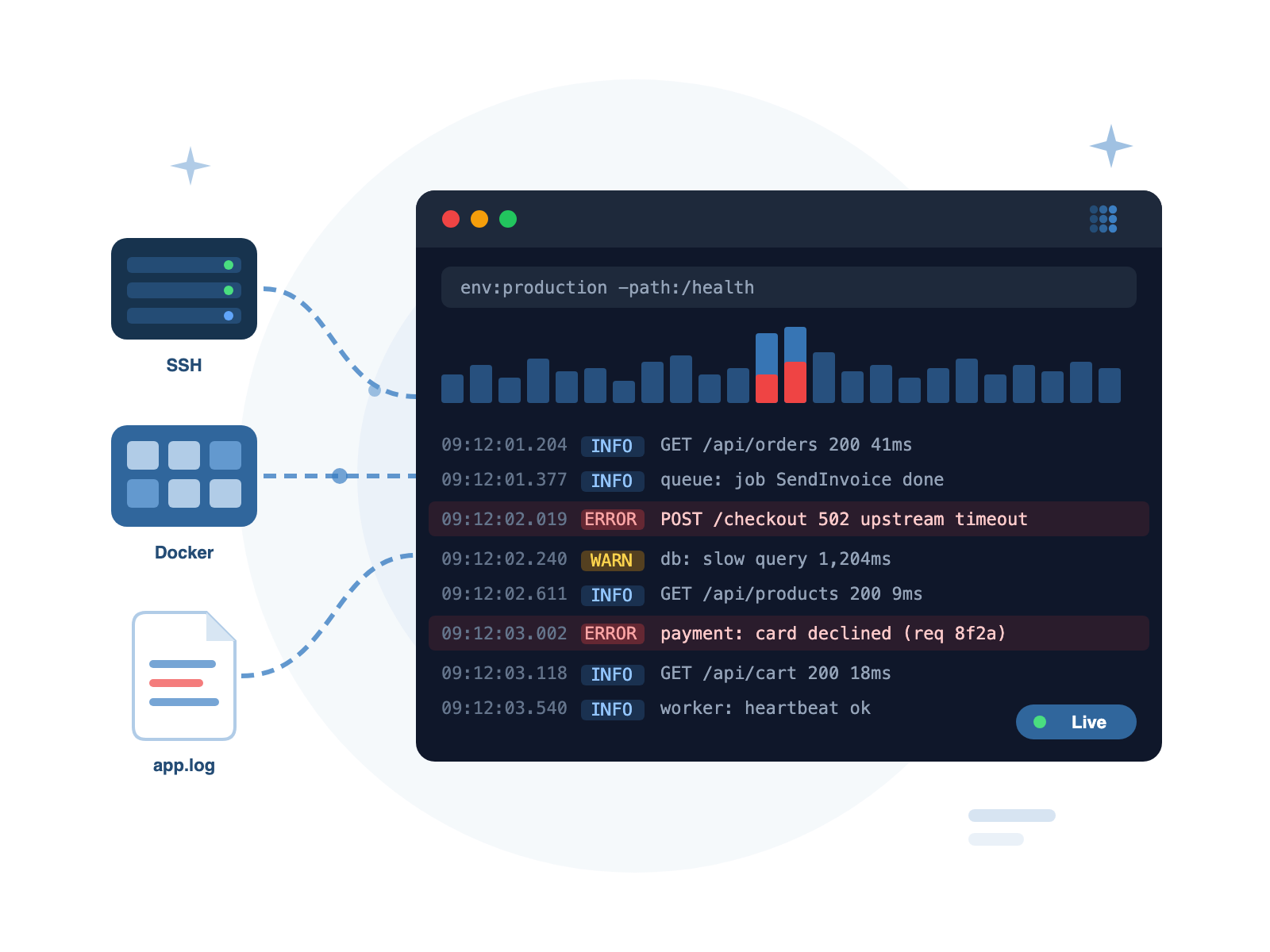
Live tail that keeps up
Watch new lines arrive as they are written, coloured by level. Pause to read without the view jumping — collection carries on in the background, and a single key brings you back to the latest line.
- Follow mode with pause and resume (Space)
- Level colours for errors, warnings, info and debug
- Multi-line entries like stack traces kept together
- Smooth scrolling through millions of lines
Discovery
Find logs you didn't know you had
Point DataraLog at a project folder and it suggests the logs inside: Laravel, Rails and Symfony logs, Docker Compose services, pm2 processes and npm scripts. Point it at a server and a read-only scan lists /var/log files, running systemd services and containers.
- Project discovery for Laravel, Rails, Symfony, Compose, pm2 and npm
- Read-only host scan — nothing is changed on the server
- Add everything to a workspace and a merged timeline in one step
- Import your saved hosts from DataraSSH
Secure by default
Host Keys Verified
New servers show their key fingerprint for you to confirm. If a known server's key ever changes, DataraLog refuses to connect.
Secrets Encrypted
Passwords and key passphrases are encrypted on your computer. SSH agent, key files and certificates are all supported, including jump hosts.
Nothing Leaves Your Machine
Logs are read directly from the source and stay on your computer. No cloud, no upload, no account required.
Start with a local file
DataraLog is free for local logs. Remote sources are part of DataraLog Pro.
Download DataraLog — Free Next: Search & Timeline →